Get the current status of the pool.
zpool status -vNot the drive ID of the failed drive.
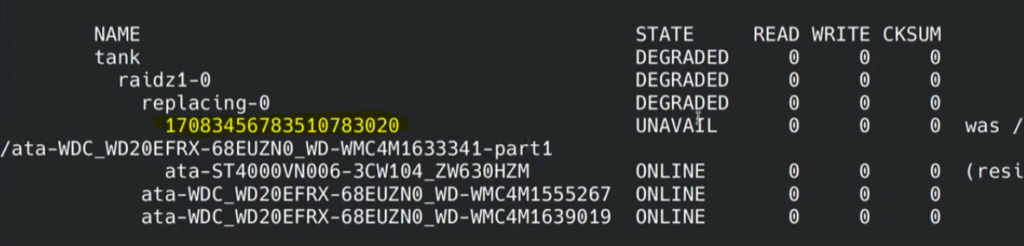
Next, find the ID of the new disk.
ls /dev/disk/by-id/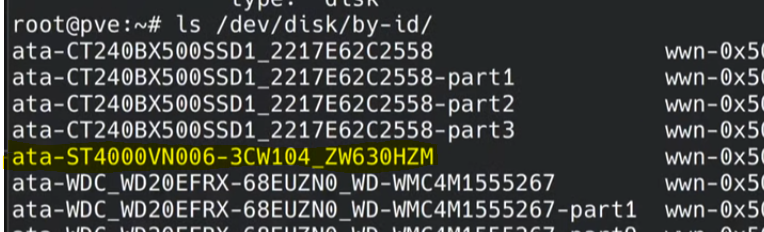
Assemble the complete zpool replace command using the two disk IDs. Use the /dev/disk/by-id/ path for the new disk.
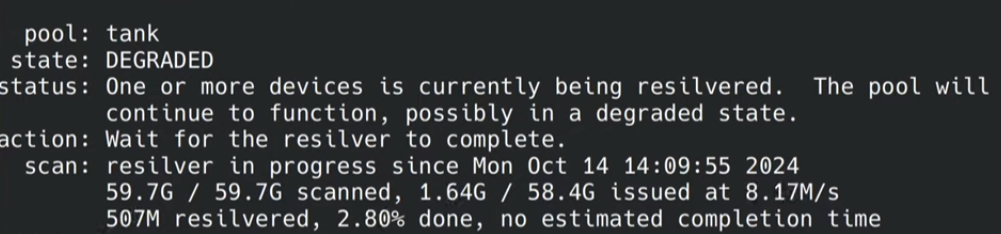
zpool replace rpool 17083456783510783020 /dev/disk/by-id/ata-ST4000VN006-3CW104_ZW630HZMThe pool will begin to resilver the new disk.
Source Video: